


Breaking News - Live Headlines
4.4388.00 Reviews
App Specs
- Version
- 14.2.2254.84361
- Updated On
- License
- Free
- Downloads
- 10,000,000+
- Developer
- YING LIANG HK LIMITED
- Categories
- News & Magazines
- Platform
- Android
Screenshots
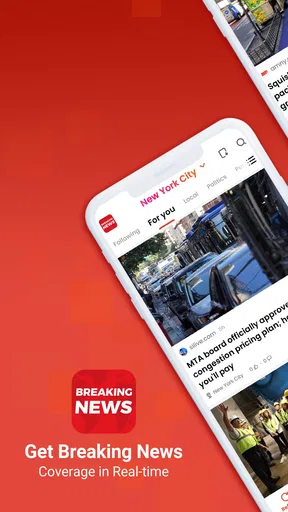
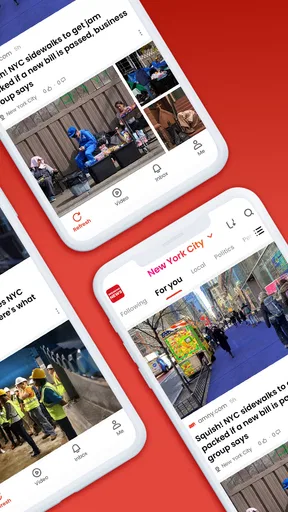
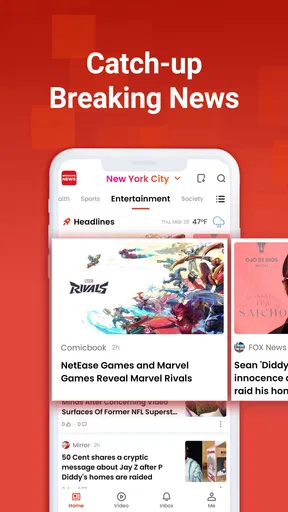


 Analysis by AppCompare
On a shared phone, a news app can become part of the household routine without needing to become everyone’s personal newsroom. I’d use Breaking News - Live Headlines as a quick place to check what’s happening, then leave room for each person to choose what they want to read. That distinction matters: a headline feed is useful for staying oriented, but it shouldn’t be treated as a shared account or a substitute for checking a story’s source.
One device, different reading habits
Picture a weekday morning when one person checks headlines over breakfast, another looks for a sports update later, and someone else wants a little context before discussing a major story. A general news app can serve those quick visits better than passing around a newspaper or opening several publisher apps. It gives the household a convenient starting point, especially when nobody wants to spend long deciding where to look first.
I would still treat the feed as a starting point rather than a complete household briefing. If two people use the same device, their interests and reading habits may not match. Suggestions shaped by one person’s reading could be less relevant to the next person, so a shared screen does not necessarily mean a shared sense of what matters. For a fairer routine, I’d browse categories directly when the recommendations feel too tailored to the previous reader.
Keep personal choices separate
Before making a news app part of a shared-device routine, I’d agree on a few simple boundaries: who handles notifications, whether articles are read in a common area, and whether anyone is comfortable sharing a story before checking its context. Those are household choices, not features I would assume the app manages for you. They help prevent a useful headline alert from turning into an interruption for everyone nearby.
Notifications are most helpful when they match the reader’s own needs. If a device is shared, a steady stream of alerts can be confusing or distracting, particularly when one person follows a topic that others do not. I’d keep the alert setup conservative and open the app when I want a broader scan. That small habit makes it easier to separate genuinely urgent updates from the ordinary background flow of news.
Sharing stories without losing context
The built-in sharing workflow can help a household compare what caught each person’s attention. I’d send a story with a short note about why it seems worth reading, rather than forwarding only a dramatic headline. That gives the recipient a clue about the topic and encourages a conversation about the article itself instead of a quick reaction to its wording.
For a useful routine, one person could bring a headline to dinner, while another checks the full article before the group discusses it. That works particularly well for stories that affect a local plan, a journey, or a topic the family has already been following. The trade-off is that sharing is not the same as verification: if a claim matters, I’d look for more context and another reliable account before treating a single article as the final word.
Worth Reading Before You Choose

Baby Panda World Brings Quick Play to Modern Phones, but Its Game Library Feels Busy

ESPN’s Live Game View Makes Following Close Games Easier

QuizzLand Review: A Good Fit for Short Trivia Breaks, Not Every Player

Basketball Stars: Multiplayer Is Fast, but Can It Recover When Matches Go Wrong?

WEBTOON Turns Phone Updates Into a Better Reading Routine

Link to Windows Runs on Shared Habits, Not Social Feeds
Age, trust, and a sensible role for news
The app is rated for Everyone, which makes its age label broad, but I’d still guide younger readers through difficult or upsetting stories. A general news feed can surface serious subjects, and an age rating does not tell a parent whether each individual article is appropriate for a particular child. Reading together and talking through unfamiliar language or images is more useful than assuming the label settles every question.
I also wouldn’t use a personalized feed as the only source for a major event. Recommendations can make browsing feel relevant, but relevance is not the same as balance. When a story has consequences for the household, I’d compare how different outlets explain it and separate confirmed details from early reports. That is a practical way to use a convenient news app without handing it the job of deciding what the family should believe.
Getting Started with Breaking News
The first thing I noticed after downloading Breaking News - Live Headlines was its sleek and intuitive interface. It’s designed to feel like a modern newspaper, but with the convenience of a digital platform. Everything is right where you need it, making it super easy to navigate even if you’re not the most tech-savvy person out there.
Exploring the Features
Once you’re in, you’ll find a variety of categories to explore. Whether you’re into politics, tech, sports, or entertainment, this app has got you covered. I was impressed by how seamlessly it updates, ensuring you’re always in the loop with the latest happenings around the globe.
One feature I found particularly useful is the personalized news feed. It learns from your reading habits and suggests articles that align with your interests. It’s kind of like having your own personal news curator. Plus, the notifications are timely but not too intrusive, allowing you to stay informed without constant interruptions.
The User Experience
Let’s talk about the reading experience. The app offers a clean and distraction-free reading mode, which makes diving into those long-form articles a breeze. You can also adjust text size and switch between light and dark mode depending on your preference or the time of day.
If you’re someone who likes to get into the nitty-gritty of news, the app’s in-depth analysis and editorials are a must-read. They offer multiple perspectives on trending topics, which I found refreshing in a world where news can often feel one-sided.
Staying Connected
Sharing articles with friends has never been easier. With just a tap, you can share news via social media or messaging apps. It’s a neat way to keep the conversation going with friends or family over hot topics.
Another cool feature is the offline mode. You can download articles to read later, which is fantastic for those commutes or times when you’re without internet. Talk about convenience!
How it fits into a daily routine
For my own routine, I’d use the app in short, deliberate visits rather than leave a news feed open all day. In the morning, I’d scan a few headlines to decide which stories deserve more attention. Later, if a topic is relevant, I’d return to the article or look for additional coverage. This keeps a quick check from turning into an unplanned scroll through every developing story.
The offline option is especially practical when I know I’ll have a stretch without a dependable connection. I’d save a small set of articles before leaving, then use the commute or a waiting period to read them. The useful detail is timing: downloading beforehand makes this a planned reading session, not a way to retrieve every new update while offline. For breaking developments, I’d reconnect before relying on what I saved.
Choosing it over other news options
Compared with going directly to one newspaper or broadcaster, this app is better suited to a broad first glance across subjects. That convenience can help when I’m undecided about what to read, while a dedicated publisher app may be preferable when I want a particular newsroom’s reporting, a familiar editorial voice, or deeper coverage of one beat. I see the two approaches as complementary rather than interchangeable.
It also differs from social feeds, where news often arrives mixed with reactions, jokes, and posts from people I follow. A dedicated news app gives reading a clearer purpose, but I would not assume that a tidy interface guarantees a complete picture. If an issue is important, I’d follow the article outward: note the outlet, look for the underlying context, and compare another account instead of judging a story from its headline alone.
Who will get the most from it
I think it suits readers who want a convenient overview, enjoy moving between topics, and are comfortable using recommendations as a discovery aid rather than a definitive list. It can also work for someone returning to news after a break: browsing categories offers a straightforward way to find an area of interest without first building a complicated reading routine.
I’d hesitate to recommend it as the only news source for a reader who needs specialist reporting, carefully controlled topic boundaries, or a publication’s established coverage of a specific subject. Someone who wants to avoid current events altogether may also prefer not to keep breaking-news alerts on a shared device. In those cases, a focused publication or a less interruptive reading habit is likely a better fit.
Practical details and everyday trade-offs
Breaking News - Live Headlines is a free news and magazines app from YING LIANG HK LIMITED. It has a 4.4 average from around 40 thousand ratings and has passed 10 million installs, which suggests that many readers have tried it, though popularity alone cannot tell me whether its coverage matches my interests. It is rated Everyone, and it runs on Android 6.0 or later; the current version is 13.7.2254.81364. It was released on November 17, 2023.
Those details make it easy to judge basic access, but I’d still make the decision based on how I actually read. A free app can be a low-commitment way to test whether its mix of categories and recommendations is useful. I’d give it a few focused sessions, notice whether the feed helps me find worthwhile stories, and adjust how often I check it if the volume starts to feel like noise.
Final Thoughts
After spending some quality time with Breaking News - Live Headlines, I can confidently say it’s a reliable and user-friendly app for anyone who wants to stay informed without the hassle. It delivers news in a straightforward manner and offers enough customization to suit individual preferences.
So, if you’re on the hunt for a new news app, give this one a shot. It’s a small download for a world of information. Happy reading!
Pros
- Real-time updates keep you informed instantly.
- User-friendly interface for easy navigation.
- Customizable notifications for specific topics.
- Wide range of news sources to choose from.
- Offline reading mode available for convenience.
Cons
- Ads can be intrusive and disrupt reading.
- Limited customization for news sources.
- Occasional delays in content loading.
- Some articles lack depth or detail.
- Frequent updates may consume more data.
FAQs for Breaking News - Live Headlines
What features does Breaking News - Live Headlines offer?
Breaking News - Live Headlines provides real-time updates on global and local news. The app includes customizable alerts, breaking news notifications, and a personalized news feed based on your interests. Users can also access video clips, in-depth articles, and opinion pieces. The interface is user-friendly, ensuring easy navigation and quick access to news.
Is Breaking News - Live Headlines free to use?
Yes, Breaking News - Live Headlines is free to download and use. However, it may offer in-app purchases or a premium subscription model that provides an ad-free experience or exclusive content. Be sure to check the app store listing for detailed information on pricing and available features.
How reliable are the news sources in Breaking News - Live Headlines?
Breaking News - Live Headlines aggregates content from reputable news organizations worldwide. It curates articles from trusted sources, ensuring accuracy and credibility. Users can expect balanced and well-researched reporting. However, it's always a good practice to cross-reference important news with multiple sources.
Does Breaking News - Live Headlines support offline reading?
Yes, the app allows users to save articles for offline reading. This feature is handy for those who want to catch up on news without an internet connection. Simply bookmark the articles you’re interested in, and access them later when you’re offline or have limited connectivity.
How customizable is the notification system in Breaking News - Live Headlines?
The app offers a highly customizable notification system. Users can set alerts for specific topics, regions, or breaking news. You can choose the frequency of notifications and mute alerts during certain hours to avoid disturbances. This ensures you receive updates that are most relevant and convenient for you.


